On this page9 sections
Your app works. You built it in Lovable, Bolt, Cursor or Replit, a few people use it, and someone just asked the question that changes everything: can we roll this out to the whole team? Or a second customer wants an account. Or you are about to send the first invoice.
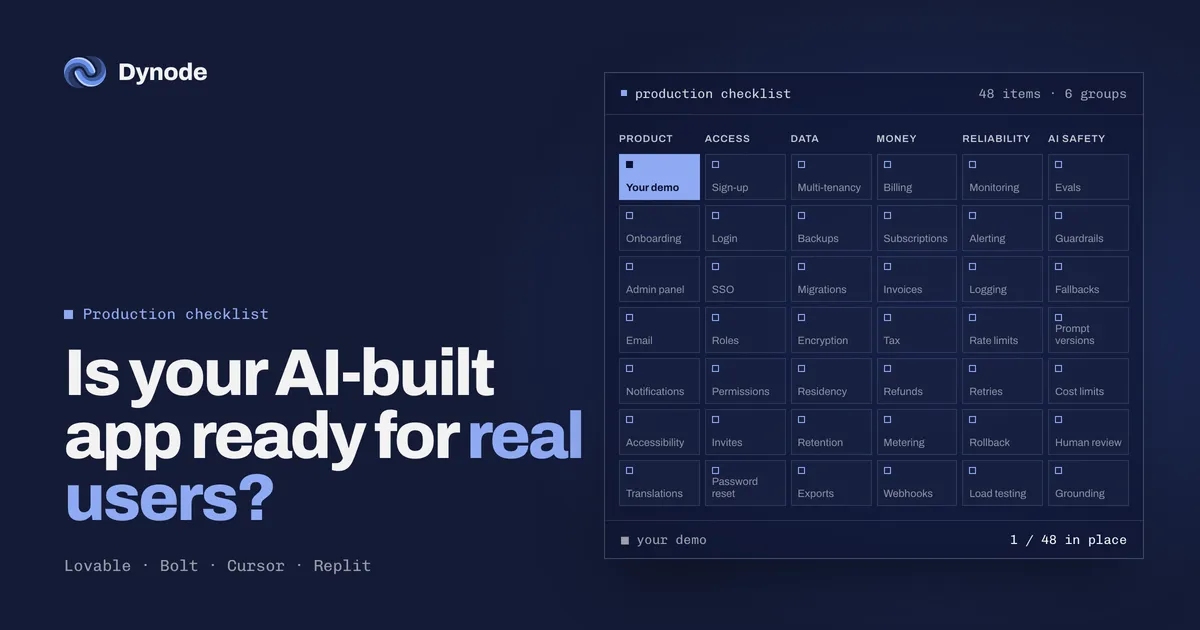
That is the moment a prototype has to become production software. The demo you built is real, and it is also one piece of what production needs. This checklist covers the rest, grouped the way problems actually show up once real users arrive.
Why AI-built apps hit the same wall
AI coding tools are very good at the part you can see: screens, flows, forms, the happy path. They are much less reliable at the parts nobody sees until something goes wrong, such as who is allowed to read which row in the database, what happens when a payment fails, or how you find out the app is down before your customers tell you.
None of this means the prototype was a mistake. It means the prototype did its job: it proved that people want the thing. The next job is different, and it needs a different checklist.
Access: who can sign in, and what they can see
Roles exist and are enforced on the server. Hiding a button in the interface is not access control. Every request that reads or changes data should check the user’s role on the server or in the database.
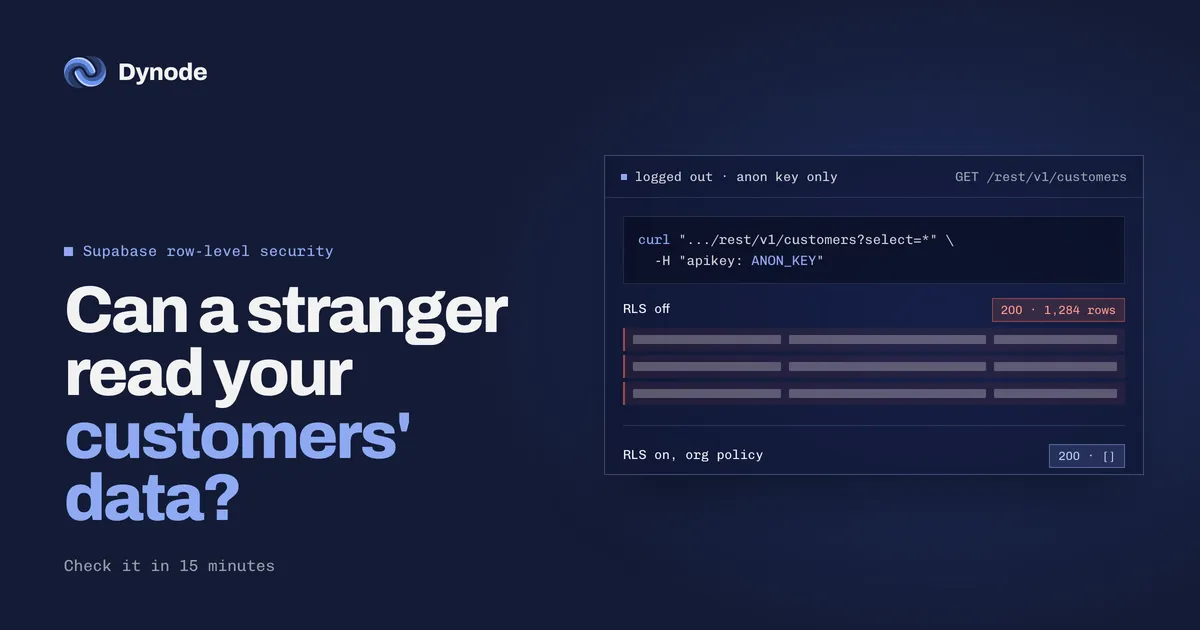
Each customer’s data is kept apart. If two companies use your app, nothing one of them does should ever show the other’s records. In Supabase this means row-level security policies that actually filter by tenant, not just policies that exist.
Invites, password reset and session expiry work. These are the flows prototypes skip and the first ones a new customer tries.
There is an audit log. When a customer asks who changed something, you can answer.
Data: where it lives and whether you can get it back
Backups exist, and you have restored one. A backup you have never restored is a hope, not a backup.
Database changes go through migrations. If your schema was changed by hand in a dashboard, the next change can break production with no way back.
Secrets are not in the browser. Service keys, API keys for paid services and admin credentials belong on the server. Anything shipped to the browser can be read by anyone.
You know where the data is stored. Some customers will ask which country it lives in, and how long you keep it.
Money: billing that survives real customers
Payments run on a live account, with webhooks. Many prototypes still point at a test account, or only update the database when the user returns from checkout.
Failed payments and refunds are handled. Cards expire. Customers ask for refunds. Your app should know what to do in both cases without someone editing the database.
Plans and limits are enforced. If a plan includes five seats, the sixth invite should not go through.
Reliability: knowing before your customers do
Monitoring and alerting. When something breaks at 2 a.m., you should hear about it before a customer does.
Logs you can search. When a user reports a bug, you can see what happened.
Separate staging and production. Changes are tested somewhere that is not your customers’ data. In July 2025 an AI agent deleted a production database during a code freeze, which is exactly the failure this separation prevents.
Rollback. If a release goes wrong, the last good version is one step back.
Rate limits. One script or one angry user should not be able to take the app down or run up your bill.
AI safety: if your app calls a model
Evals. Tests that check the model’s answers against known-good examples before each release, so a prompt change does not quietly make things worse.
Guardrails and fallbacks. What happens when the model returns something wrong, slow or empty.
Cost limits. A loop that calls the model a thousand times should hit a ceiling, not your card.
Human review for anything uncertain. The model should hand off to a person when it is not sure.
Product: everything a new user meets
Onboarding that works without you on a call.
An admin panel so your team can help customers without touching the database.
Email delivery that lands in inboxes, not spam.
Accessibility basics: keyboard navigation, labels, contrast. Larger customers will ask.
How to use this list
You do not need every item on day one. Translations, single sign-on or data residency may not apply to you yet. What matters is knowing which items you already have, which ones you need before the next customer, and which can wait.
Go through the list with your app open and mark each item: already there, needed before launch, or fine to wait. If most of your marks are in the middle column, the gap between your demo and production is real, and it is usually smaller than a full rebuild.
Our prototype to production page has the full 48-item version of this checklist, grouped the same way. It is the list we go through in the first week of every engagement.
Keep, rebuild or add
A prototype is not thrown away. Going through the list part by part usually sorts every piece into one of three columns:
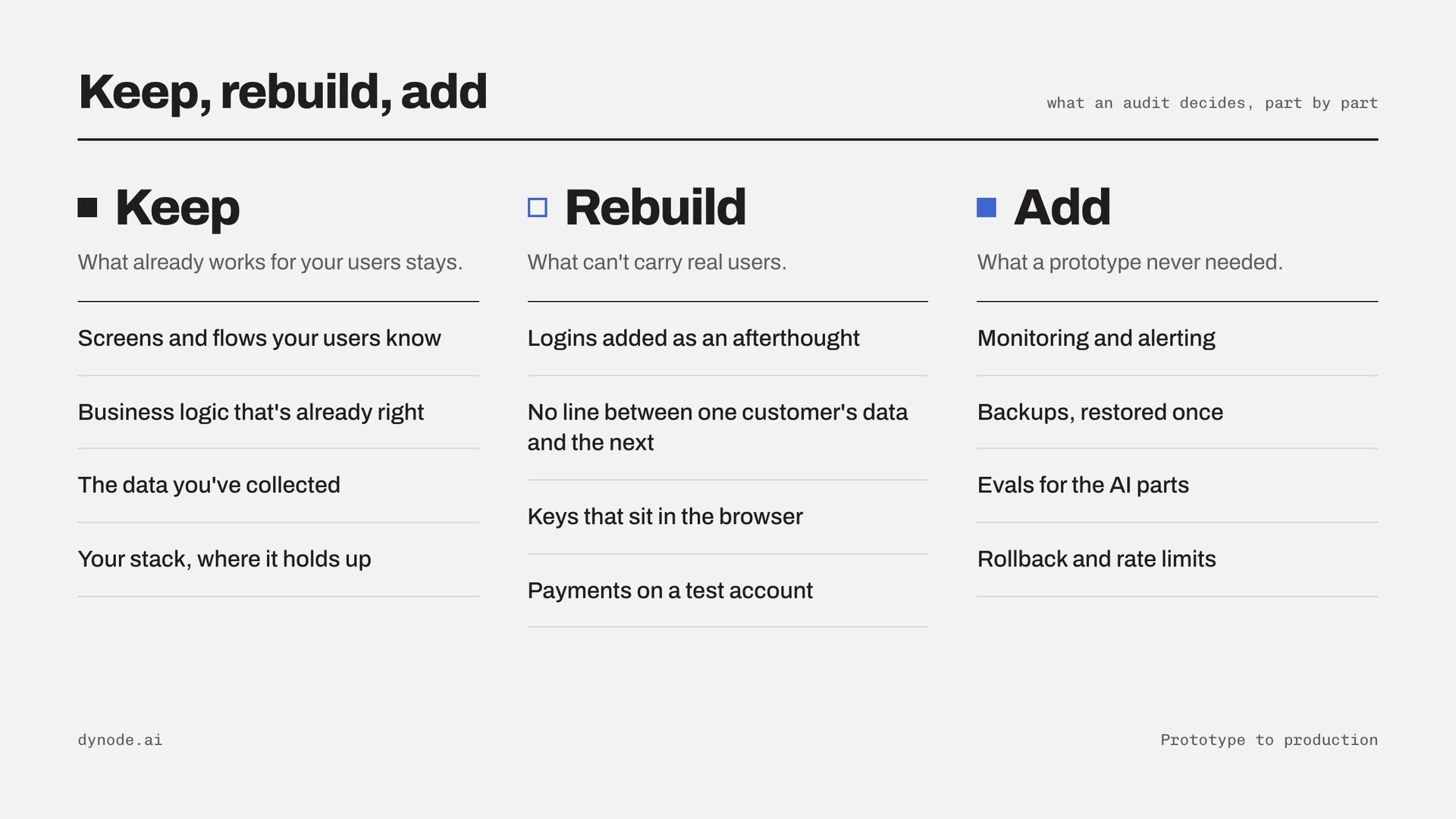
Keep: the screens and flows your users already know, business logic that is already right, and the data you have collected.
Rebuild: logins added as an afterthought, a data model with no line between one customer and the next, keys that sit in the browser.
Add: monitoring, tested backups, evals for the AI parts, rollback, an admin panel.
If you want a second pair of eyes, that sorting is exactly what our one-week audit does. It has a fixed price, you keep the findings whether or not you build with us, and sometimes the answer is that you are closer to production than you think.
FAQ
3 short answers, if you skimmed to the end.
Is an app built with Lovable or Bolt production-ready?
It can be, but usually not as it comes out of the tool. AI coding tools handle screens and flows well and tend to skip server-side access control, data separation between customers, live billing, monitoring, backups and evals. Check those before real users depend on the app.
Do I need to rebuild my AI-built app from scratch?
Rarely. Screens, flows, business logic and collected data can usually be kept. What usually needs rebuilding is how logins, roles and customer data are separated, and what needs adding is monitoring, backups, billing and tests.
What should I fix first?
Anything that exposes customer data, such as database tables readable by anyone or secret keys in the browser. Fix those before anything else.